Yes, disabling Threat Protection will make it where SpyShelter no longer checks your executables for known threats and lets you know about them.
Application Security Control disabling with SpyShelter just lets everything run however it wants. Behaviors can still be found under “Events” in SpyShelter.
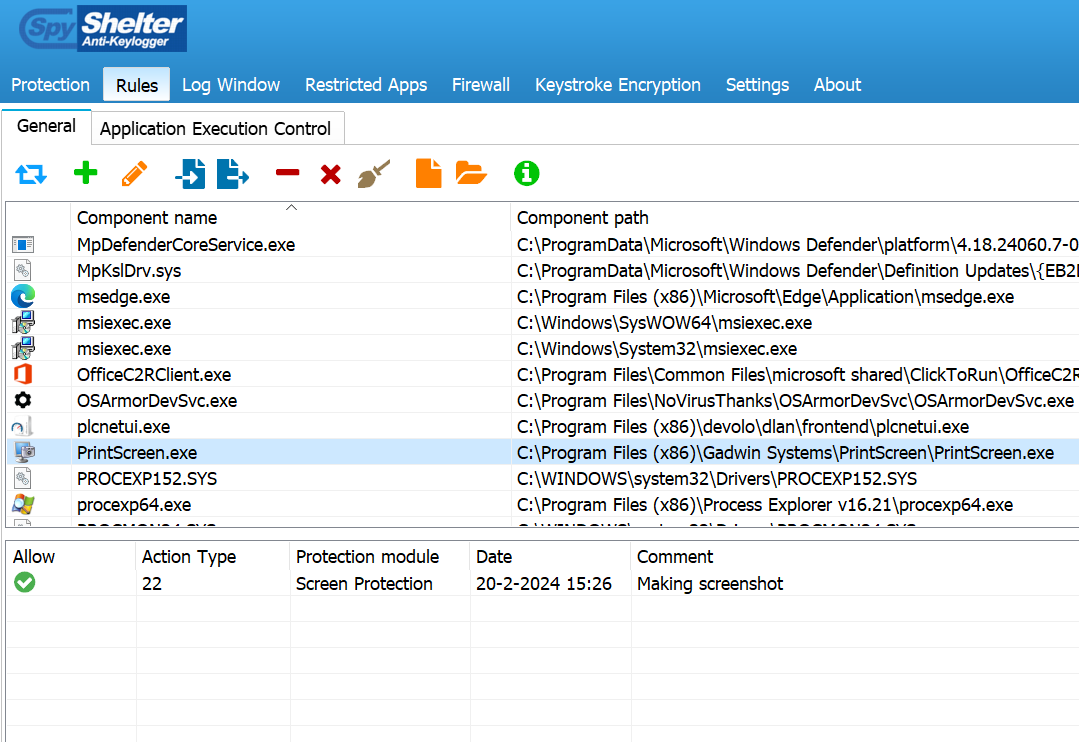
For screenshots, you can just right click our bottom right Windows notification tray icon and turn the feature on/off quickly and easily. I don’t believe it’s technically possible to do what you want at this time with Windows, to allow/deny certain apps to make screenshots. Instead we can only block ALL apps from making screenshots.
OK cool, so this basically means that the whitelist is disabled, but all other behaviors are still monitored.
And I have a question about the Events tab, in SS Classic it drove me nuts that it logged each and every process that runs, is it perhaps an idea to only log processes that triggered an SS alert? Of course this should be optional, so people who still want to see ALL processes that are launched can still do it.
OK I see, this is a pretty big problem. SS Classic could alert about apps trying to make screenshots, and you could allow or deny, has something changed in Win 11 that you guys can not bring back this option? And what about alerting about clipboard access? Some infostealers try to modify clipboard content in order to steal crypto for example.
I will confirm with our team but I am pretty sure SpyShelter nerver allowed/denied apps could take screenshots? Where did you see this posted? I will check it out and check with the team, it’s Sunday here now.
For the clipboard, Microsoft has changed how the clipboard works so that functionality doesn’t work anymore even if you install the Classic version. I wish it was easy to bring back older SpyShelter features with modern Windows, but Microsoft has changed many things and it’s no longer possible to do some things we used to do. Thanks for your feedback on those previous features.
Yes, SpyShelter 12 is able to alert about apps trying to make screenshots, and you can allow or deny. Perhaps some API in Windows 11 was changed, just like what you said about clipboard monitoring not being possible anymore. I wonder if you guys can contact Microsoft to tell them to stop dumbing down Windows 11?
@RasheedHolland Thanks for posting that! Very cool, and I should have been aware of that.
Question: May I ask what Windows version you are using with this example?
Yes, I agree it’s frustrating that Windows makes changes, but I believe Apple is worse… I once worked on a project there that completely broke our software in a completely unnecessary way with no warning. At least Microsoft gives some notice on major changes usually, but not always.
I’m using Windows 10 1909, apparantly SS 15 is not compatible with this version, perhaps it also depends on which OS updates are installed.
And yes, Apple’s macOS is a complete joke from what I understood. That’s why behavior blockers aren’t really that advanced on macOS. On one hand, they are trying to lockdown macOS against malware, but if malware bypasses protection, then security tools are pretty much blind.
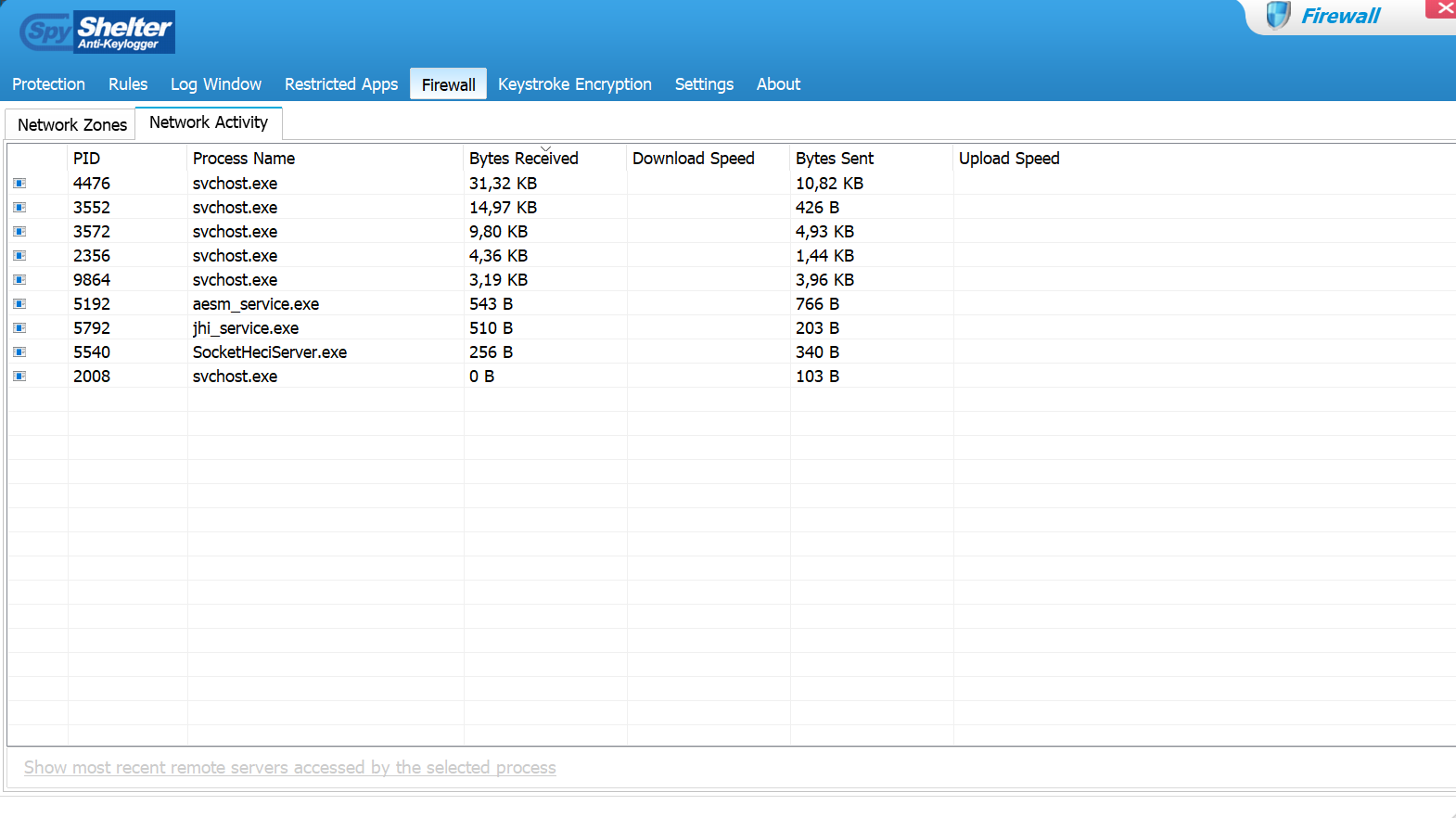
This is how the network monitor in SS Firewall 12 looks, very basic without any flashy graphics. But it does give a quick overview of all the processes that are currently connected, or at least the ones who are currently generating network activity. So this wouldn’t be an option in SS 15?
Interesting! Yes, we may consider doing something like this in the future. For now we have a clear plan that does not include network monitoring or firewall features at least until next Summer, but perhaps next Summer once we are past our current plan we may consider it.
Can you give a bit more info about this? Because in the other thread you mentioned something about that you weren’t allowed to build a network monitor? And what are the current plans? Like I said, any behavior blocker/anti-logger should have a network monitor/firewall, in my view.
The thing is, the number one way to block infostealers, is to block them from getting network access, so even if they somehow get access to browser data, they still out of luck.
I have another idea: I assume that currently if you trust some app, it has access to ALL folders. But it would be a gamechanger if these (trusted) apps can only access certain folders. So for example, Firefox can only access the Documents and Program Files folders. But it’s blocked from accessing all other folders. Do you think this would be possible to implement?
I don’t agree. If malware has run on my PC I will probably need to go ahead and do a fresh install of Windows. Also, there are a lot of unexpected ways for apps to access the network. The infostealer may appear it was blocked, but in reality it phoned home in some unexpected way, so you don’t even know your info was stolen.
About your Trusted Folders idea, go to our File Integrity Control feature and I believe it does what you need. It’s true it allows all Trusted apps into the file or folder, but you can decide what those Trusted apps should be. I guess we could consider limiting certain files/folder to certain specific apps and that might work well. We didn’t do that because we felt it would add a lot of complexity and confusion to the feature.
The goal of SpyShelter has always been to protect the system even if malware has already bypassed AV. Why do you think that SS monitors stuff like file/folder access, service/driver loading and (in the past) keystroke encryption? Because it will block the end goal of malware.
That’s why blocking outbound connections is important too, that’s basically what I meant. And infostealers can’t magically bypass the firewall. From what I’ve read, they often try to directly connect out, without using advanced techniques like code injection. So a ‘‘default deny’’ firewall, will block most of them.
Yes exactly, that’s what I meant. So even trusted apps should not get access to all files. The reason why this would be cool, is because let’s say you download some video downloader, it probably needs access to the Downloads folder, but access to a folder that contains your crypto wallet is not recommended.
But if you want to block infostealers, then denying them access to data stored on disk or memory is more important. Because I agree with you that there are ways to bypass the firewall and if someone is tricked into downloading some app that they think is legit, they might give it network access anyway.
Did you read about the major hack on crypto exchange Bybit, where $1.5 billion was stolen? From what I understood, hackers were able to hijack an employee’s macOS laptop and stole AWS credentials in order to bypass MFA and get access to the Safe{Wallet} cloud.
If they had pro-active protection against this infostealer, then this hack could have been avoided! Because the built-in AV was obviously blind to this attack. So this would be a major selling point for SpyShelter, if you implemented almost bulletproof protection against infostealers.
Thanks for sharing this. Very good points! I will see what we can do to improve our Infostealer protection.
It’s so interesting how these names/ideas change all the time. It was “spyware” and now it’s “infostealers”. But, I think maybe “infostealers” are unique compared to spyware, because it focuses on a specific task. Like the example you gave with the Bybit hack.
Yes exactly, nowadays infostealers are an even bigger threat than keyloggers, because they allow hackers to bypass 2FA by stealing cookies. I think it’s weird that not a lot of security tools are focused on protecting against infostealers pro-actively.
All you need to do is make a list of apps that are often targeted by infostealers, and protect their folders from being accessed by untrusted processes. In certain cases, you might also need to protect memory, because more advanced infostealers will try to access browser memory.
I already gave examples in this thread of which apps are often targeted by infostealers, see post #12.
It’s often browsers that are targeted, because encryption of browser passwords is quite weak. But infostealers can also target third party password managers, or they can try to brute force the encrypted password database. And besides that, if they can steal cookies, they don’t even need passwords because they can simply bypass 2FA with session cookies.
About the future of SpyShelter, I don’t think it should move only towards visibility, although I’m not sure what you meant with that in the other thread. But in my view, SS could be marketed as a tool to protect against infostealers, ransomware and keyloggers.
But obviously, protection should be robust. So infostealers should be stopped from connecting out via firewall, and they should be blocked from getting access to data, out of the box. Obviously, ransomware can also be blocked from getting access to data by protecting important folders, think of Downloads and Documents.
And keyloggers can be blocked, either by keystroke encryption, or if that is not possible anymore, at least block so called ‘‘global hooks’’, which is a form of code injection. This will block most keyloggers.