# How to prevent spyware screenshots of your PC with SpyShelter
**URL:** https://forum.spyshelter.com/t/how-to-prevent-spyware-screenshots-of-your-pc-with-spyshelter/150
**Category:** SpyShelter
**Created:** [July 22, 2024, 8:47pm UTC](https://forum.spyshelter.com/t/how-to-prevent-spyware-screenshots-of-your-pc-with-spyshelter/150 "2024-07-22T20:47:04Z")
**Posts on this page:** 4
**Page:** 1
### Author:  [@SpyShelterCarl](https://forum.spyshelter.com/u/SpyShelterCarl)
#### Post date: [July 22, 2024, 8:47pm UTC](https://forum.spyshelter.com/t/how-to-prevent-spyware-screenshots-of-your-pc-with-spyshelter/150/1 "2024-07-22T20:47:04Z")
### Instructions
1. Open [SpyShelte](https://www.spyshelter.com/)r and navigate to the **Protection** tab.
2. Scroll down to **Screenshot Protection**.
3. Toggle the **Screenshot Protection** switch to **“on”**.
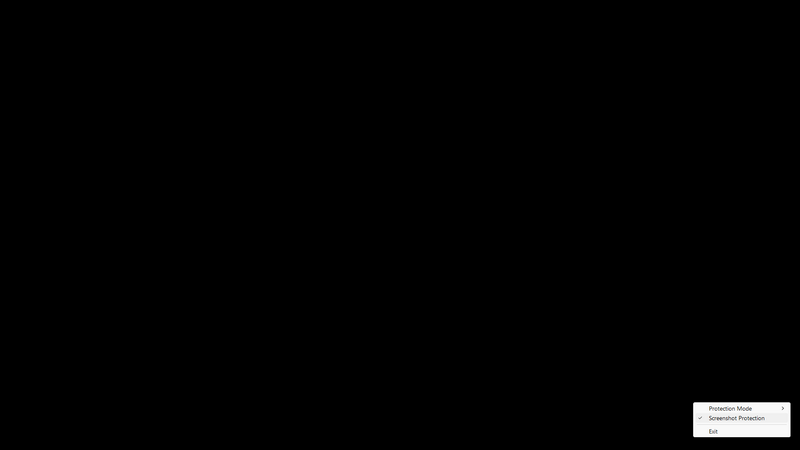
Once enabled, any screenshots captured by spyware or other malicious software will be displayed as a black box.
### Why would you want screenshot protection on your PC?
Enabling screenshot protection on your PC is essential for safeguarding your sensitive information. Here are a few reasons why:
1. **Prevent Data Theft** : Malicious software can take screenshots of your screen, capturing sensitive data such as passwords, banking information, and personal messages. Screenshot protection ensures that these attempts result in unusable, blacked-out images.
2. **Maintain Privacy** : Screenshot protection helps maintain your privacy by preventing unauthorized capture of your activities, personal communications, and confidential documents.
3. **Enhance Security** : By blocking screenshot capabilities of spyware, you enhance your overall security posture, making it more difficult for attackers to gather intelligence or exploit your information.
4. **Peace of Mind** : Knowing that your screen is protected against unauthorized captures allows you to work more confidently, without worrying about potential surveillance or data breaches.
---
### Author:  [@jasonX](https://forum.spyshelter.com/u/jasonX)
#### Post date: [November 14, 2024, 5:46pm UTC](https://forum.spyshelter.com/t/how-to-prevent-spyware-screenshots-of-your-pc-with-spyshelter/150/2 "2024-11-14T17:46:28Z")
Screenshot protection image.
---
### Author:  [@SpyShelterCarl](https://forum.spyshelter.com/u/SpyShelterCarl)
#### Post date: [November 18, 2024, 1:31pm UTC](https://forum.spyshelter.com/t/how-to-prevent-spyware-screenshots-of-your-pc-with-spyshelter/150/3 "2024-11-18T13:31:54Z")
@jasonX
Nice example blank protected screenshot! Thank you for posting.
---
### Author:  [@jasonX](https://forum.spyshelter.com/u/jasonX)
#### Post date: [November 20, 2024, 6:37pm UTC](https://forum.spyshelter.com/t/how-to-prevent-spyware-screenshots-of-your-pc-with-spyshelter/150/4 "2024-11-20T18:37:52Z")
Tested it awhile and it really didn’t permit any screenshot to taken! Cheers!